Grid Data Management
Introduction
HERD Grid data management is based on WLCG infrastructures and Rucio system. That means if you would like to use HERD grid resources or devote your own resource to HERD data, you would need to follow the WLCG standard and use WLCG software.
For Grid Data User
To access HERD Grid data at IHEP, you have 2 choices, 1 Rucio System with CLI or API (Recommanded). 1 Grid protocols with Gfal2 Command.
Prepare HERD Grid Account
We use IAM to manage Grid authentication. IAM will manage both sci-token and voms-proxy as your personal credential to access Grid resources.
Notice: You should have a personal Grid CA certificate and installing it in your system before you start to use HERD Grid Services.
Follow these steps to register an IAM account:
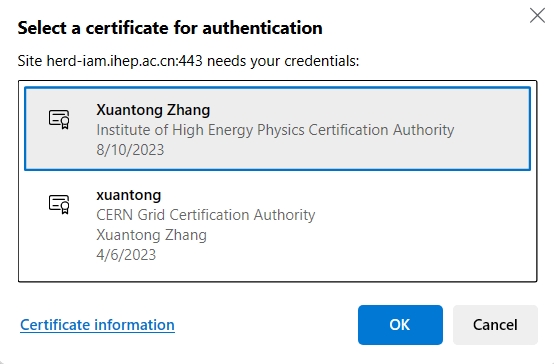
Access HERD IAM at IHEP (https://herd-iam.ihep.ac.cn). It will inform you to choose your personal certificate, so select a valid personal certificate. As figure shows:
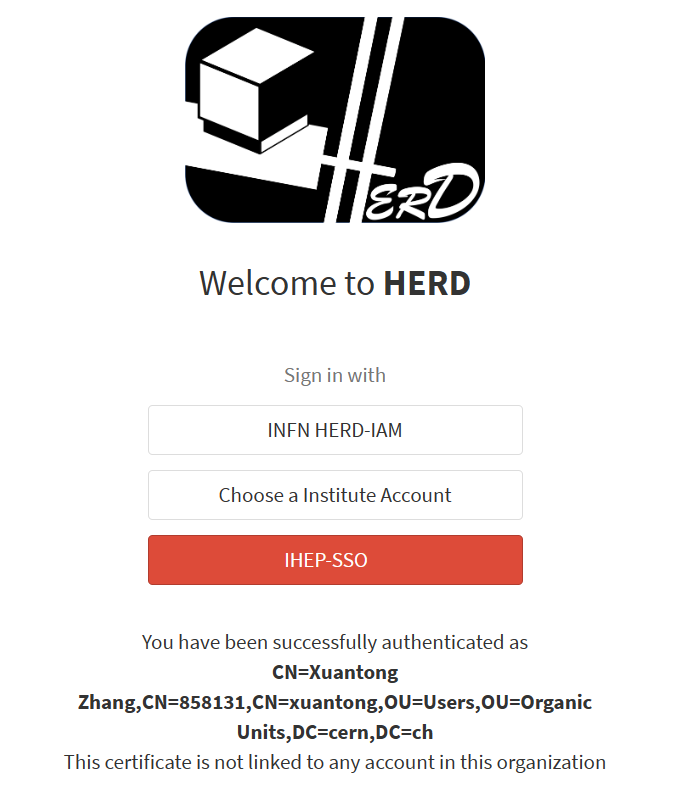
Choose an identity provider to login. Supported IdP includes INFN HERD IAM, eduGain and IHEP-SSO. As figure shows:
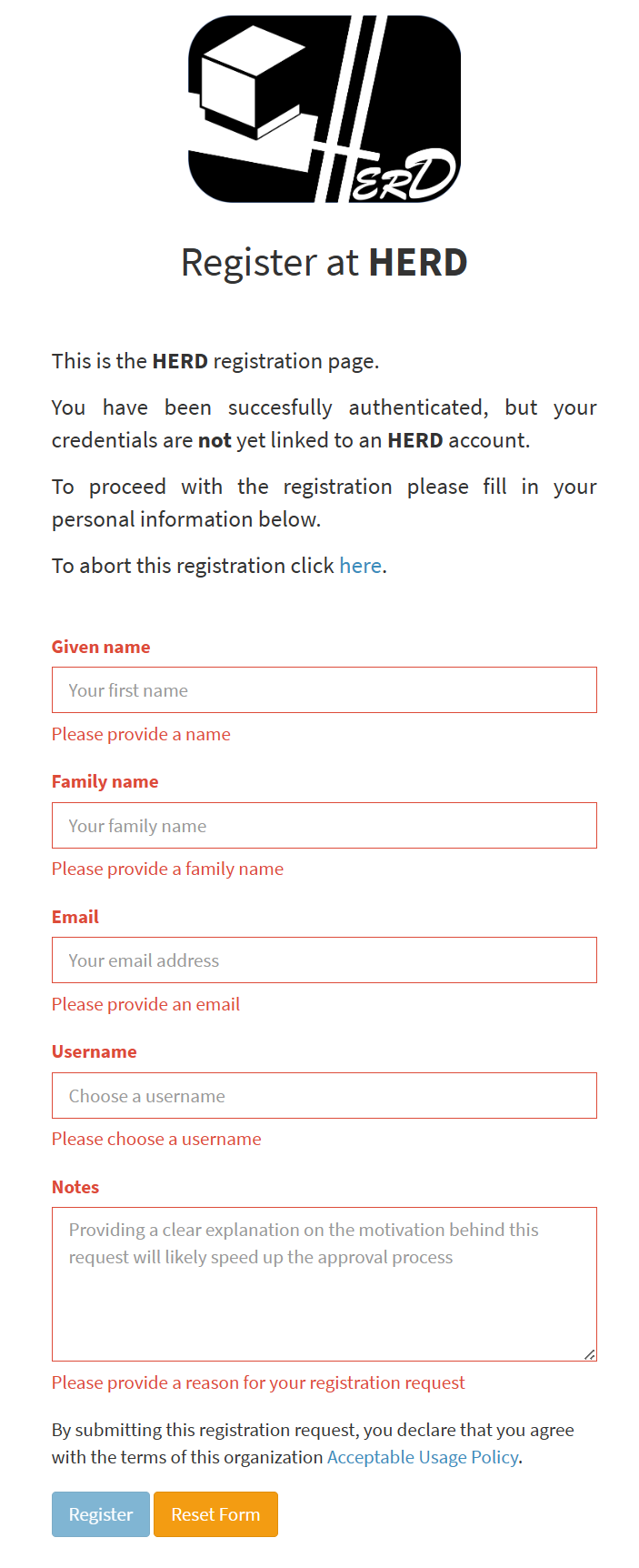
After your login with selected IdP, you need to fill a register form. As figure shows:
Wait for the approval from IAM administrators. The result will be informed by Email. After the register, you can login IAM and get your credential to access Grid resources.
Access HERD Grid data
Notice: At present, only production users are supported to access Grid data.
You can use this command to generate the HERD Rucio environment:
$ source /cvmfs/herd.ihep.ac.cn/grid/env.sh
Then, use Rucio command to list or download Grid Data.
For Storage Element Administrator
Some configuration may need to be set on SE system, and some information need to be supplied to Rucio admin at IHEP (Xuantong Zhang(mailto:zhangxuantong@ihep.ac.cn)).
VOMS Configuration
IAM has a VOMSAA service, which work as a VOMS service and generate VOMS proxies for Grid users.
VOMS LSC Configuration:
$ cat /etc/grid-security/vomsdir/herd/herd-iam.ihep.ac.cn.lsc
/C=CN/O=HEP/O=IHEP/OU=CC/CN=herd-iam.ihep.ac.cn
/C=CN/O=HEP/CN=Institute of High Energy Physics Certification Authority
VOMSES Configuration:
$ cat /etc/vomses/herd-herd-iam.ihep.ac.cn
"herd" "herd-iam.ihep.ac.cn" "8443" "/C=CN/O=HEP/O=IHEP/OU=CC/CN=herd-iam.ihep.ac.cn" "herd" "24"
Storage Endpoint
Contact the Rucio admin to supply your SE endpoint.
A typical SE endpoint should include protocol, hostname, port, prefix. Here is some examples:
https://storm.ihep.ac.cn:8443/herd/lustre/herdfs/dirac/
root://storm.ihep.ac.cn:1094//storm/herd/lustre/herdfs/dirac/
Then configure the authentication for Grid user. Grid data need at least
2 users, including normal user and production user, so ID=herduser
and ID=herdprod are suggested. herduser can only read production
files and paths while herdprod have full read and write priviledges
on all files.